Release Notes - Version v1.0.183
Last updated: August 18, 2025
This week, Fei becomes more hands-on than ever. From interactive previews to cleaner output, your workflow just got a serious upgrade.
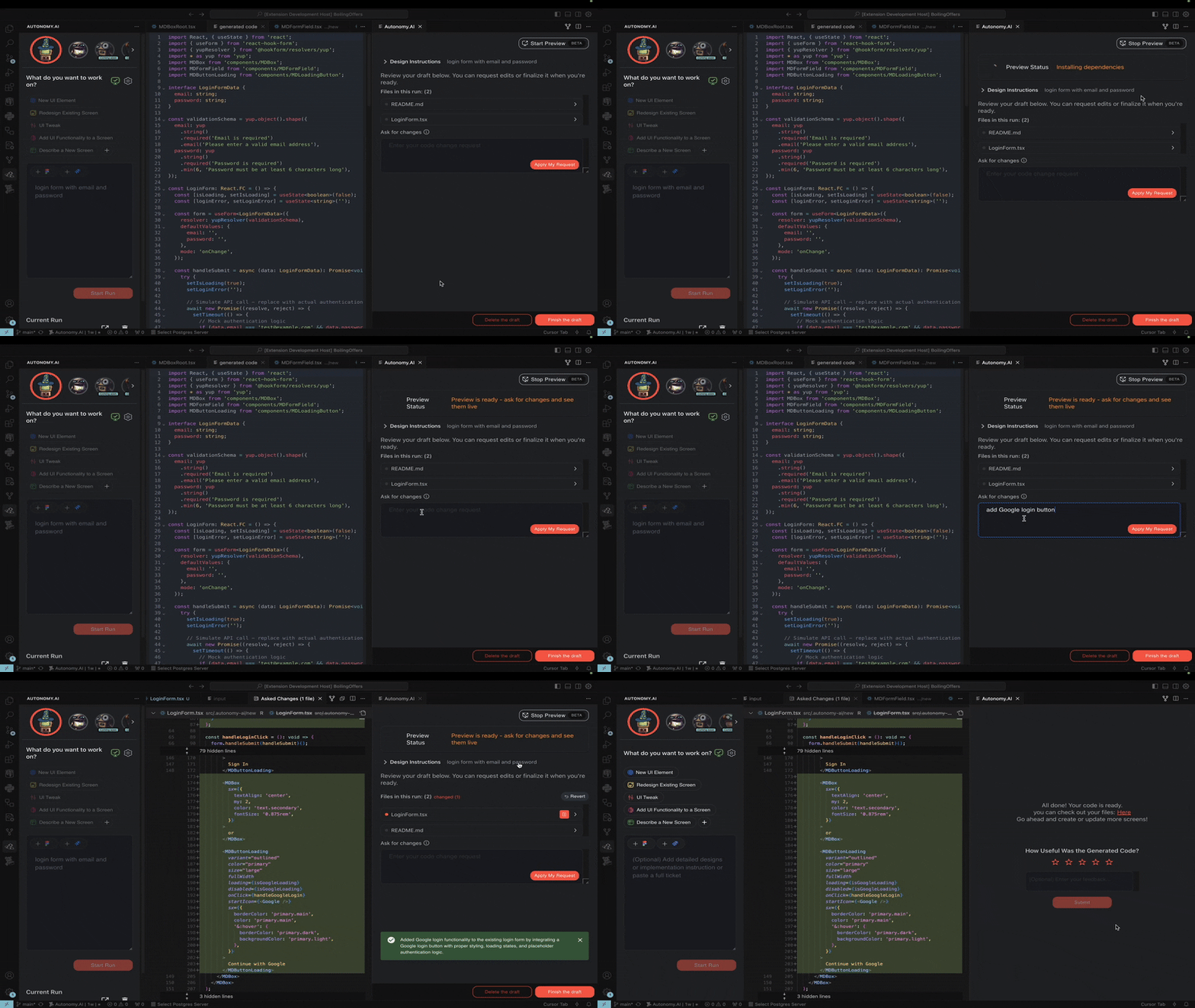
🖼 Preview Is Here (Beta)
Our long-awaited preview functionality is now available in beta!
See and play with the generated result, get live feedback from your designer or product manager, and ask for changes together - all without reading a line of code.
You can now:
Render a fully working preview of your component at the end of the run
Review layout, behavior, and logic before accepting
See the preview update live as you request changes
To use the preview:
Open the Preview Rendering Settings from the Preview Status icon on the main screen
Fill in your preview rendering configuration
Click Test Preview Rendering to verify your setup before starting a run
Once you see the green preview icon, you're ready to go.
📘 Follow the setup guide here: Preview Guide
💬 Feel free to reach out if you run into any issues
🧠 Our Agents Got Smarter
We equipped our agents with even more intelligence so now they have:
Deeper import understandings
More accurate dependencies
Improved automatic error fixing using advanced tools (including Perplexity!)
Cleaner, ready-to-run results
Your runs should now feel a lot more stable - especially for updates and complex components.
🚨 P.S: After updating, please restart the Autonomy extension to apply the changes.
Click "Disable" → "Enable" in the Extensions tab or reload VS Code.
Thanks for using Autonomy. Interactive previews are just the beginning. 🚀