Release Notes - Version 1.0.214
Last updated: August 18, 2025
This week we’re going full visual. Whether you’re screenshot-driven or Figma-fatigued, Fei's ready to roll.
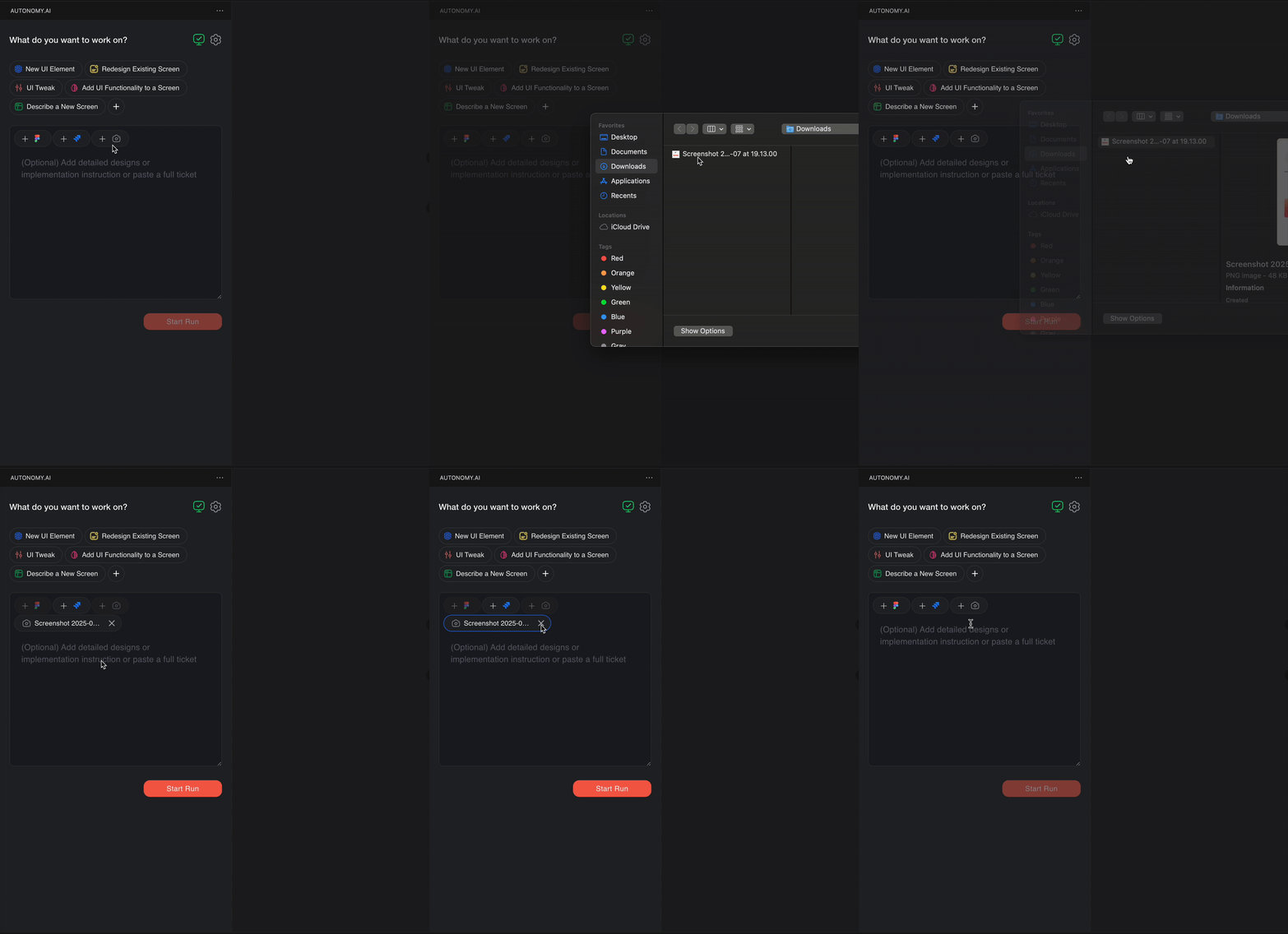
🖼 No Figma? No Problem. Just Upload a Screenshot
Design file MIA? UI spec scribbled on a napkin?
You can now paste or upload any image or screenshot to show Fei what you want built.
It’s perfect for:
Quick ideas from PMs who “don’t have Figma access”
Slack screenshots that somehow are the spec
Breathing life into static mockups
Start the run and let Fei turn pixels into JSX.
✂ Crop It Even Cleaner: Figma Frame Hovers
Crop step in the Figma flow just leveled up. Now when hovering over elements in your Figma frame, you’ll see a quick-selection overlay - click to move the crop, then adjust it however you like.
Less fiddling with boxes, more time for hooks and integrations.
🚨 P.S: After updating, please restart the Autonomy extension to apply the changes. Click "Disable" → "Enable" in the Extensions tab or reload VS Code.
Thanks for using Autonomy - where frontend feels less like work, and more like wizardry. 🧙♂✨