Fei Studio - Feb 5 2026
Last updated: February 5, 2026
🌀 Explore Layouts While You Shape the Feature
Fei Studio isn’t just for building what’s already defined - it’s now a superpower for early-stage planning.
When you’re exploring a new idea for a feature or screen, you don’t need to wait for detailed designs or a prototype to start shaping how it looks and feels.
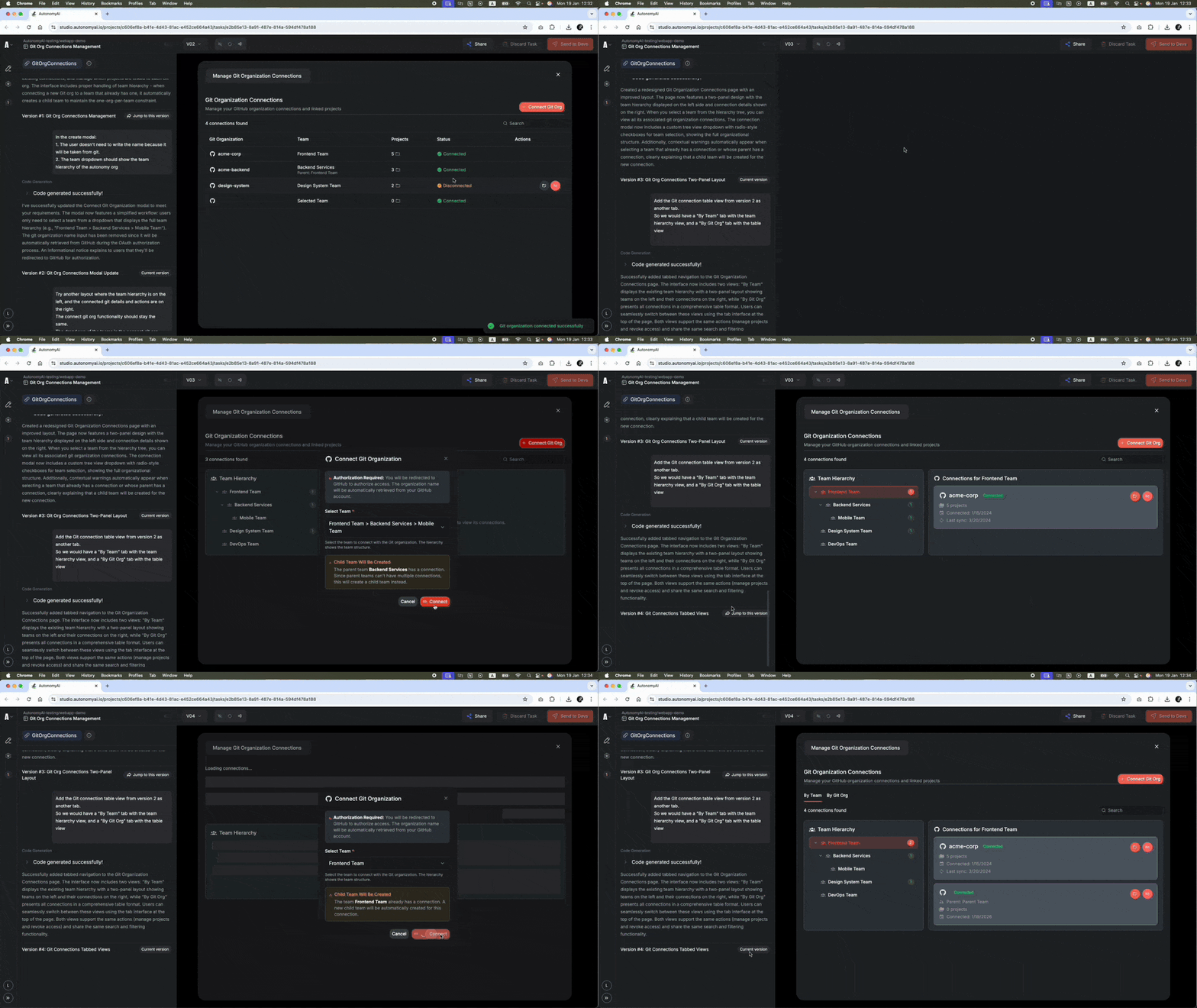
Just describe the functionality or goal, and Fei will generate a first version using your real components and styles. Then ask for a different layout, or tweak the current one. Every direction becomes a live version you can actually use and interact with.
You can:
Switch between versions in the live preview
Compare structure, flow, and feel
Mix and match the best ideas across directions
Use this flow to explore options quickly, align with design, and walk into reviews with working examples - not just words.
Shift the conversation from “What do you mean?” to “What works better in each version?”
This is what it looks like when you bring Fei into the thinking phase, not just the execution phase.
And yes - we’ve been using this exact flow to design Fei Studio itself.
Start with an idea. See it in real UI.
Then shape the best version together.